
Beta guide
Everything you need to go from download to a working village in a few minutes, and how to tell us what broke.
Install
- Download
Clash-of-Claudes.dmg. It is one universal build for Apple Silicon and Intel. - Open the disk image and drag Clash of Claudes onto Applications.
- Launch it from Applications or Spotlight.
The app is signed with a Developer ID and notarized by Apple, so macOS opens it like any other downloaded app. The first launch may ask you to confirm that you want to open something from the internet. That is expected.
Older builds are on the releases page.
Before you start
- macOS 13 or later, Apple Silicon or Intel.
- At least one agent CLI installed and signed in: Claude Code (
claude), Codex (codex), Antigravity CLI (agy) or OpenCode (opencode). Any other command works as a custom builder.
The app does not install agents, log in for you or manage API keys. Each agent uses the login you already set up for it. Open the Town Hall to see which CLIs were found, their versions, and a copyable install command for the missing ones.
Your first village
The first launch asks what to call you; the Town Hall’s plate then carries your name. It also offers a two-minute tour on a sample compound that exists only in memory: you raise it, start a sample session, answer its permission prompt, review it and close it. No files change and no agents run. Skip it any time, or replay it from Settings.
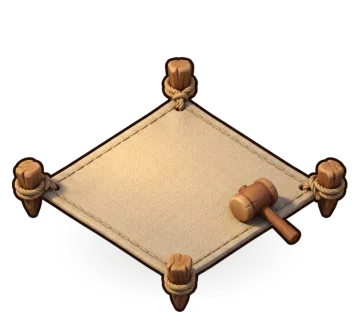
- Open workspace and pick a project folder. It becomes a walled compound around the Town Hall.
- Click the compound, then + New session. Pick a builder, an agent, and optionally a model, effort and first task. The agent starts in a real terminal in that folder.
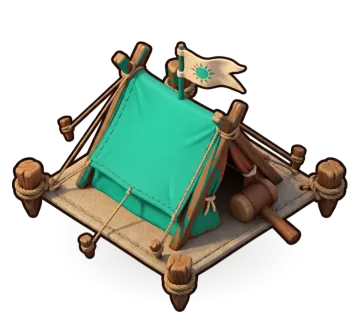
- Click any builder or tent for its live terminal in the side panel. Pop it out for a larger view, or use + Terminal for a plain shell.
macOS may ask whether Clash of Claudes can read your Downloads, Desktop or Documents folder. That is an agent or terminal inside the app asking, the same prompt any terminal app shows. Allow it for folders that hold your workspaces.
Sending feedback
Everything goes from inside the app, so we get the details that matter without you digging for them.
A report holds what you type, plus app and system details: app, macOS and agent versions, how many workspaces and sessions you have, and the last error the app showed. Never workspace names or tasks. A screenshot is attached only if you tick the box. You see all of it before it is sent.
What helps most
- Which agent the builder was running, and what it was doing.
- What you expected to see in the village, and what you saw instead.
- For Codex and OpenCode: whether working, needs you and finished matched what the terminal showed.
Updates
The app checks for new beta builds and updates itself, so you are always on the latest one. The check is the only network call it makes on its own, and you can turn it off in Settings (the gear at the top right, or ⌘ ,).
Known limits
- Mac only for now.
- Claude Code and Antigravity CLI were checked against real runs. Codex and OpenCode support was written from their documentation and still needs real-world confirmation. If one misbehaves, the terminal always works.
- Allow and deny from the village work for Claude Code and Antigravity CLI. For Codex and OpenCode, answer in the terminal.
- In sessions started from the app, Codex’s
notifyanddeveloper_instructionssettings are overridden on the command line. Your~/.codex/config.tomlis never edited. - Quitting stops your sessions (the app asks first). They come back paused. Resume continues Claude Code, Codex and Antigravity on their own conversation; OpenCode and custom commands start fresh in the same folder.